← Back to Color Study
How to Extract Colors from an Image
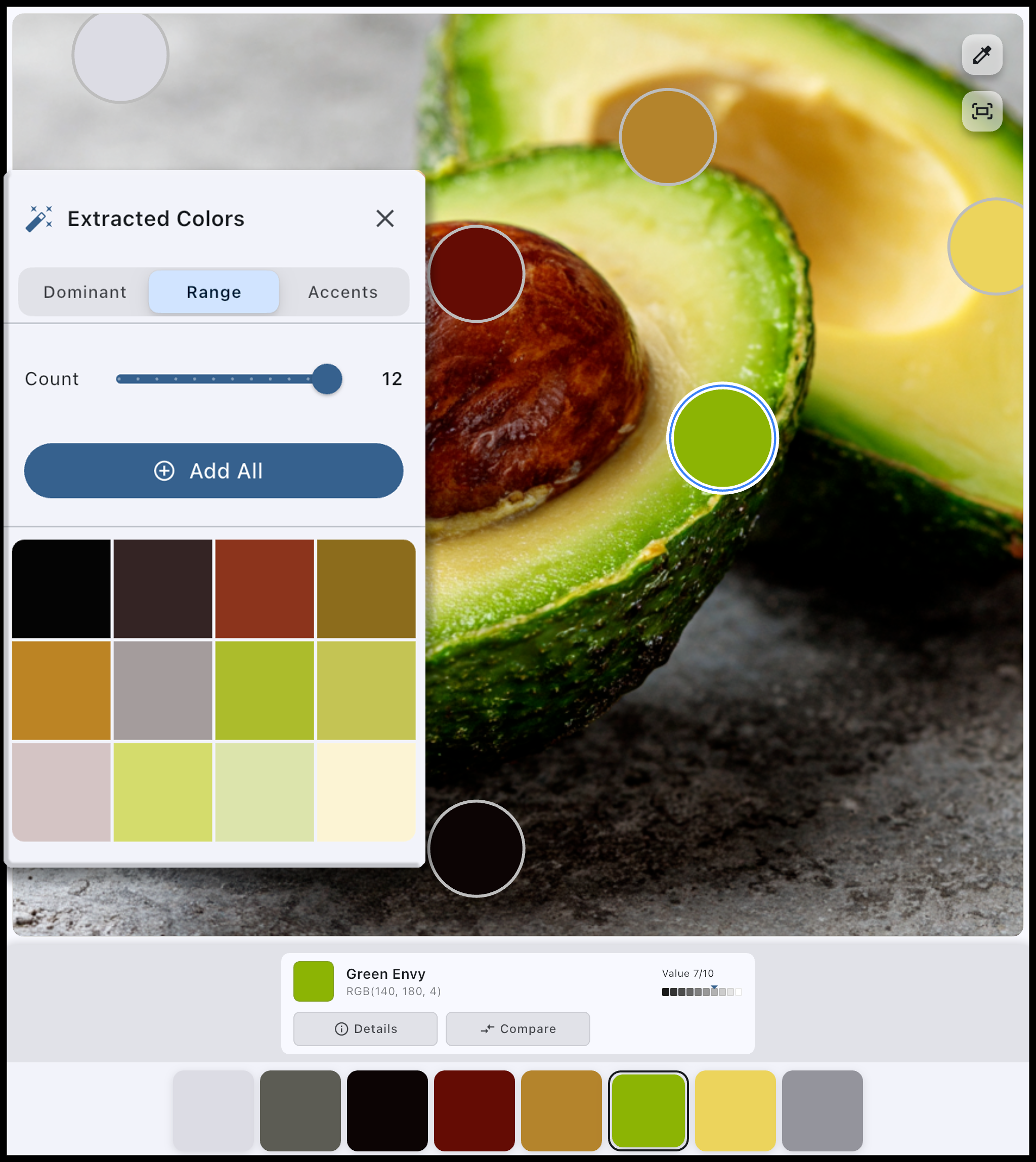
Getting a color palette from a photo used to require manual color picking in Photoshop or guessing at paint mixes. Color Study automates this process completely.
Simply upload any image - a photograph, painting, screenshot, or reference - and Color Study will analyze it to extract the dominant colors, accent colors, and the overall color harmony of the image.
What You Get
- Dominant colors - The main colors that make up most of the image
- Accent colors - Secondary colors that add interest and contrast
- Hex codes - Ready to copy into any design software
- RGB and HSL values - For precise color matching
- Color relationships - See how colors relate to each other
Try It Free
Upload an image and extract its color palette in seconds.
Open Color Study
Why Artists Use Color Palette Extraction
Whether you're a digital painter, traditional artist, or designer, extracting colors from reference images helps you:
- Match colors accurately - Stop guessing and get the exact colors from your reference
- Build harmonious palettes - See what colors actually work together in successful images
- Learn from masters - Analyze the palettes of paintings you admire
- Speed up your workflow - No more manual color picking one pixel at a time
- Mix traditional paints - Know exactly what colors you need before mixing
Beyond Basic Color Extraction
Color Study doesn't stop at palette extraction. Once you have your colors, you can also:
Works With Any Image
Color Study handles any image you throw at it:
- Photographs and photos from your camera roll
- Screenshots from movies, games, or websites
- Paintings and artwork you want to study
- Nature and landscape references
- Portrait and figure references
- Product and design inspiration